
Upscaler Linux App Review
Discover how the Upscaler image enhancement tool for Linux uses advanced scaling to enlarge your photos, anime, and digital art without losing quality.
The Struggle with Low-Resolution Images
We have all been there: you find the perfect digital illustration, a nostalgic family photo, or a stunning piece of anime art, only to realize the resolution is too low for modern displays or print. Stretching these files manually leads to blurry edges, pixelation, and blocky artifacts. The Upscaler image enhancement tool solves this common headache directly on your Linux desktop, offering a clean and accessible way to blow up your graphics without sacrificing clarity.
How the Upscaler Image Enhancement Tool Works
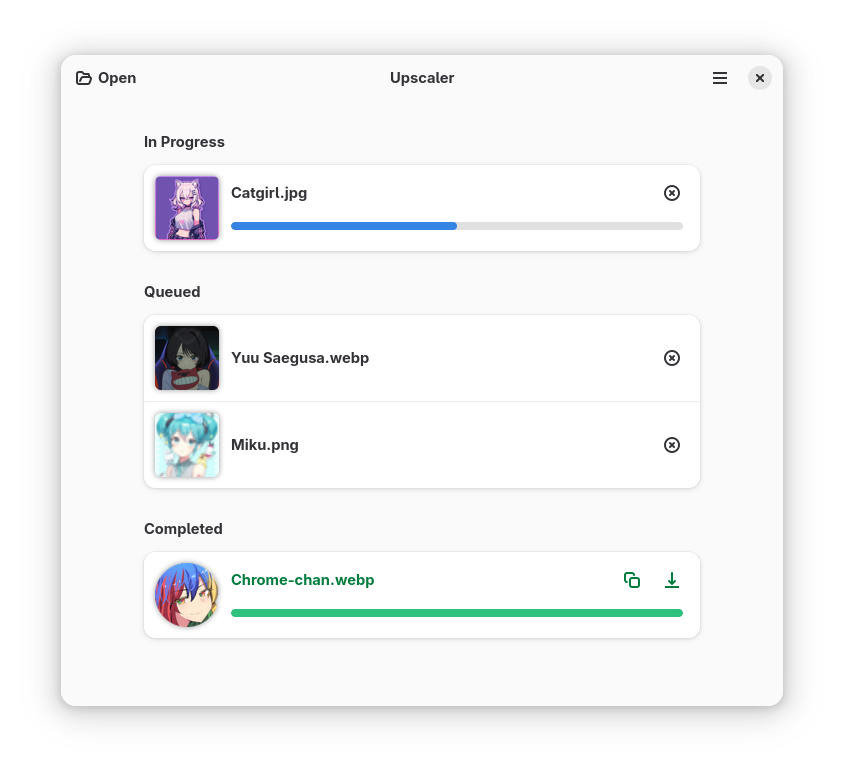
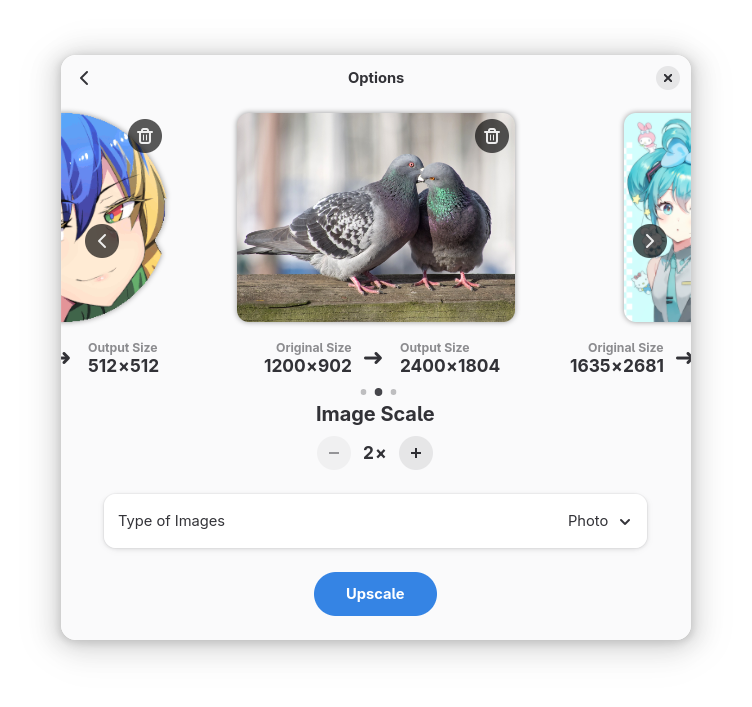
Developed by The Upscaler Contributors, this open-source design application simplifies what used to be a highly technical command-line process. Instead of wrestling with complex scripts, users are greeted with a streamlined, modern graphical interface. You simply import your graphic, choose your target scale, and let the software handle the heavy lifting. It can enlarge files up to four times their original dimensions while intelligently reconstructing lost details.
Tailored Processing Modes
What makes this utility stand out in the Linux design ecosystem is its specialized processing modes. Rather than applying a one-size-fits-all algorithm, the Upscaler image enhancement software offers targeted models for different visual styles:
- Photos: Preserves natural textures, skin tones, and realistic gradients without creating artificial-looking edges.
- Anime & Cartoons: Sharpens flat color zones, maintains clean line art, and eliminates color bleeding commonly found in compressed 2D artwork.
An Intuitive Design Workflow for Linux Users
As a native Linux application, Upscaler fits perfectly into modern desktop environments. The user experience is built around simplicity: there are no confusing submenus or overwhelming slider settings. This makes it an excellent choice for digital artists, content creators, and casual users who need quick, professional-grade scaling without a steep learning curve. Whether you are prepping assets for a design project or restoring old web graphics, the results are remarkably crisp.
Is It Right for You?
If you frequently work with low-resolution assets and want a local, private solution that does not rely on sketchy online subscription services, this utility is a must-have addition to your creative toolkit. It respects your system resources while delivering impressive upscaling factors up to 4x.
To explore this utility further and add it to your workstation, head over to the official Upscaler page on Flathub to get started.